FAQ
I can’t connect
- Update the subscription in your app — nodes may have changed.
- Try another node: test latency and pick a low one; each region usually has several nodes, so try a different protocol (e.g. vless → hysteria2).
- Check your service in My services: it should be Active, with data left and not expired.
- Check your clock: a wrong system time breaks connections — turn on automatic time.
- Still failing? Open a ticket with your device, app and node name.
How many devices can I use?
Basic allows 2 devices at the same time, Standard 5, and Premium more. Install the app on each device and import the same subscription.
What happens when my data runs out?
Data resets every billing cycle; your service card shows usage and days until reset. Once it runs out, speed is limited to 1 Mbps until the reset.
My subscription link leaked
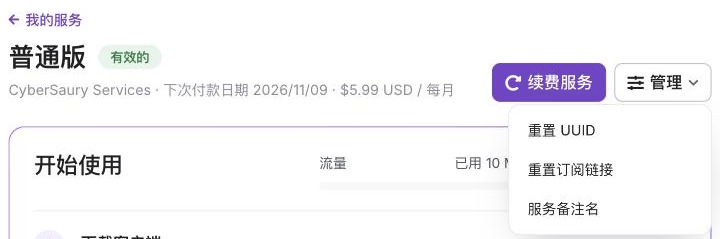
Open your service and choose Manage → Reset subscription link. The old link stops working immediately; re-import the new one on your own devices.
How do I renew?
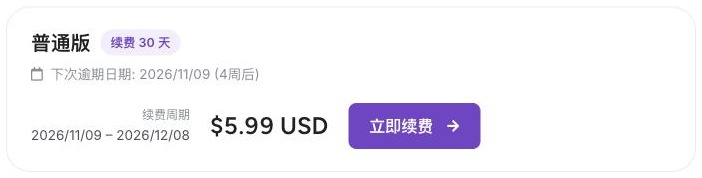
Click Renew services in the client area, choose “Renew now” and pay — the expiry moves forward automatically. You can also add funds to be used on renewal.
Why Clash?
Clash Verge (desktop) and Clash Meta (Android) are free, open-source and support all our node types plus rule-based routing: local sites go direct, overseas sites go through the proxy — faster and lighter on data. Other apps listed on “Get started” work too, with the same import steps.